Rotary lasers with digital tilt: when the function is really worthwhile
In this article
Setting out gradients is where many rotary lasers drop out. Any tool can level. But as soon as a driveway needs a 2% gradient or a hall has to be sloped in two axes, the classes separate. Here you'll find out which kind of tilt function you really need and where the extra cost makes sense.
Three ways to create a gradient
Tilting with wedges and adapters. The laser is tilted mechanically. Cheap but inaccurate, and hardly reproducible. Enough for a one-off terrace, not for acceptance.
Manual tilt on the tool. You set the axis via a screw or a menu and check with a receiver and staff. It works, but costs time every time, and two axes at once are fiddly.
Digital tilt in X and Y. You type in the value and the tool sets the plane itself. On the remote control, without leaving the measuring point. If you regularly build drainage, ramps or parking areas, you save more time in one day than the function costs per project.
What bothers professionals in practice
Compare the range with the intended receiver, accuracy and tilt function. A higher rotation speed is not automatically a promise of faster or more accurate receiver detection. Over 100 m, ±0.05 mm/m corresponds mathematically to ±5 mm and ±0.025 mm/m to ±2.5 mm; set-up and checking are still required.
That is why it is worth looking at three figures before deciding on a model: range with receiver, accuracy in mm per metre and maximum rotation speed.
CONDTROL models compared directly
| Model | Range with receiver | Accuracy | Rotation speed | Tilt |
|---|---|---|---|---|
| Roto HVG 600 | Ø 600 m | ±0.05 mm/m | up to 1,000 rpm | ±10% in X and Y, manual |
| Roto HVG 800 | Ø 800 m | ±0.05 mm/m | up to 1,500 rpm | ±10% in X and Y, manual |
| Digi Roto HVG 800 | Ø 800 m | ±0.025 mm/m | up to 3,000 rpm | ±10% digital in X and Y via remote control |
All three are green, self-levelling up to ±5°, dust-tight and protected against water jets to IP66, and run on a brushless motor. It lasts longer than classic drives with carbon brushes and is much quieter in operation.
Which tool for which site
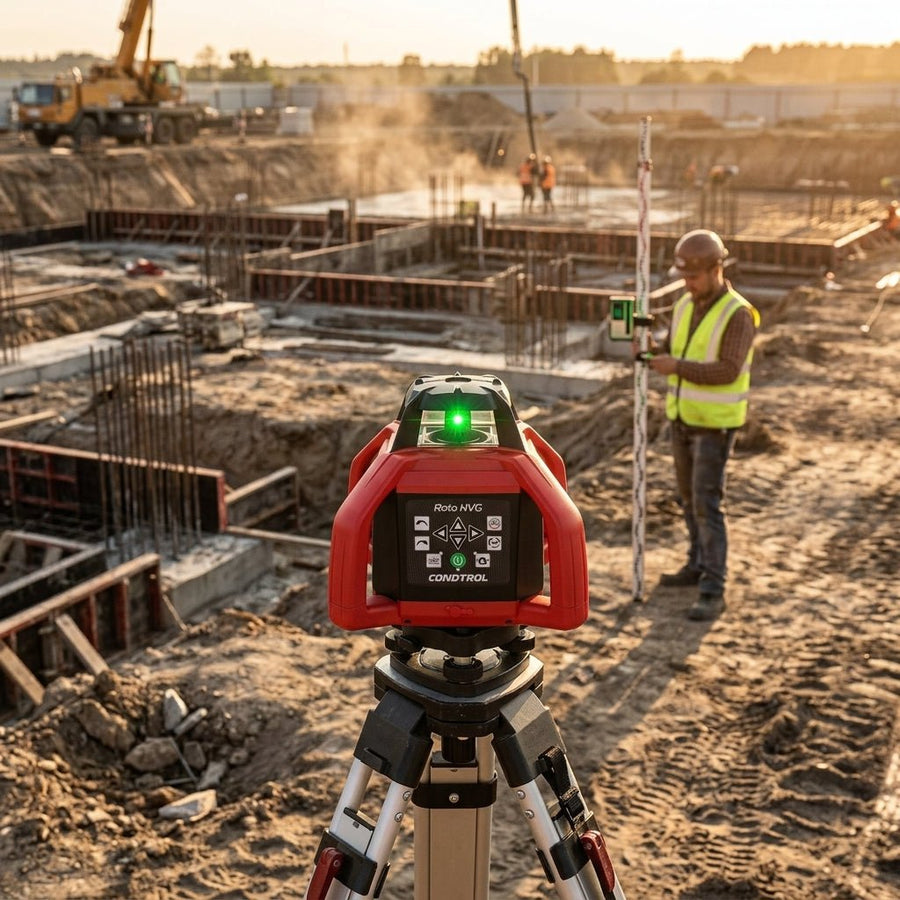
Roto HVG 600. The entry point for building construction, interior finishing and normal outdoor facilities. 600 m diameter covers most sites, the 22-hour battery lasts all day, charging via Type-C. Receiver, remote control and case are included.
Roto HVG 800. The same technology, but 800 m and 1,500 rpm via the remote control. Useful if you work along long routes and don't want to keep moving the laser. The remote control reaches up to 300 m.
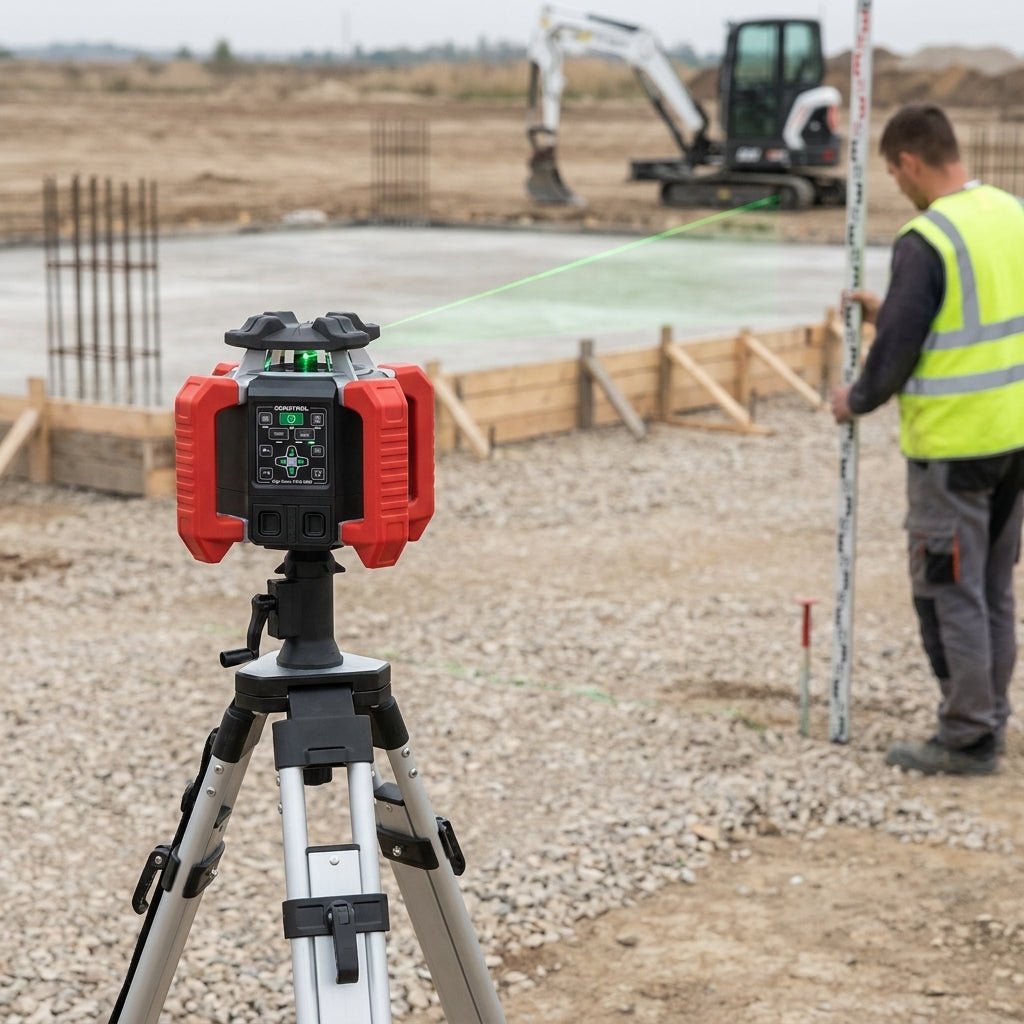
Digi Roto HVG 800. The tool for anyone for whom gradients are everyday business. Tilt in both axes is entered and readjusted via the DS remote control, with a remote control range of up to 500 m. Plus ±0.025 mm/m, 3,000 rpm, a 30-hour battery and a metal housing that survives a fall from 2 m.
Worked example: 2% gradient over 8 m
2% corresponds to 0.02 m height difference per metre of horizontal distance. Over 8 m that is 0.16 m, i.e. 16 cm. Define the start and end points, select the correct tilt axis and check the actual height difference with the receiver and staff. Check the heights again after moving the tool; the percentage entered does not replace this check.
In practice: three things that make the difference
Always place the laser on a stable tripod with a 5/8-inch thread and check the reference height after every move. It takes two minutes and can save you half a day.
Outdoors, always work with a receiver. Green is easy to see, but no laser can compete with the sun. How far you can go with it is explained in the article Rotary lasers with a receiver: when is it needed.
And document the tilt value you set. Sounds trivial, but with supplementary claims this is exactly where disputes arise.
FAQ
Do I need digital tilt or is manual enough?
If you set out gradients two or three times a year, manual adjustment on the Roto HVG 600 or 800 is enough. If you build drainage, driveways or ramps every week, you'll recoup the extra cost of the Digi Roto through time saved and less rework.
What does ±10% tilt mean?
Ten percent corresponds to 10 cm height difference over 1 m. For roads, paths and drainage, typical values are much lower, usually between 1 and 3%.
Why is rotation speed so important?
The rotation speed must suit the way you work and the intended receiver. A higher setting guarantees neither a longer range nor better measuring accuracy. Use the settings in the respective manual.
Can I work vertically?
Yes, all three models project horizontally and vertically. For axes and plumbing, this is the fastest way to work without a batter board.
Which accessories do I really need?
Tripod, receiver with holder and a levelling staff. Everything else is convenience. An overview can be found in the rotary laser buying guide.
You will find all tools in the category Rotary lasers. Shipping within Germany is free, and all tools come with 2+1 years' warranty after registration.